
Weight, clean, recode — without exporting
Adjust your raw data right in DataLion: weighting, cleaning, recodes and reshaping between long and wide format — on the dataset, with no detour through SPSS or Excel. Step 2 on the way from survey to dashboard.
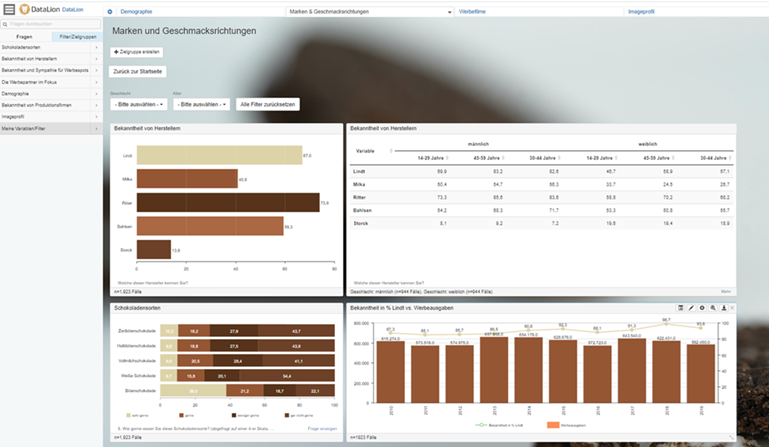
DataLion prepares survey and market research data right in the tool: weighting with flexible weighted bases, cleaning missing values, recoding and computing new variables including net and top-box codes, and reshaping between long and wide format. All on the dataset, with no detour through SPSS or Excel.
- 🇩🇪 Made in Munich
- GDPR-compliant
- DPA included
- Hosted in Germany
Weighting with flexible bases
Make your sample representative: DataLion computes with weighting variables and reports weighted bases — flexibly per question or category.
Weighting can optionally be tied to filters, so bases recalculate automatically when you analyze a subgroup.
- Weighting variables and weighted bases (weighted N)
- Flexible bases per question or category
- Optional filter-driven recalculation of weighting
Clean missing values
Define which codes count as missing values and exclude them per category. Bases stay correct and analyses stay clean — without touching the raw dataset.
- Define missing values freely
- Exclude empty and NULL values deliberately
- Exclusions per category rather than global
Recodes, new variables & net codes
Recode variables, compute new variables and combine answers into net and top-box codes (top-box, top-2, top-3, bottom nets). Complex multiple responses are turned into 0/1 variables automatically.
Exactly the prep market research needs — without opening a separate statistics package.
- Recode and compute new/derived variables
- Net and top-box codes (top-box, top-2, top-3, bottom)
- Multiple responses into 0/1 variables automatically
Reshape between long and wide format
Whether your data is in long or wide format: DataLion reshapes between the two and brings multiple-response and matrix questions into the structure your analysis needs.
Rotated and randomized items are mapped cleanly — ideal for recurring tracking studies.
Further along the workflow
Common questions about data preparation
Can I weight survey data in DataLion?
How does DataLion handle missing values?
Can I recode and compute new variables?
Can DataLion reshape between long and wide format?
Do I need SPSS or Excel for data preparation?
Get your data into analysis-ready shape
Try DataLion free: weight, clean, recode — then straight on to analysis. Or book a personal demo.